Review current user access and available activity history
BayEngine shows a user's current status, roles, and effective permissions. Repair-order Activity records important work on a visit, but BayEngine does not currently provide a complete login or permission-change history.
Review a user's current account
-
Open Configurations → General → Users.
-
Select the person.
-
On Info, review the email, account status, roles, and shop assignments.
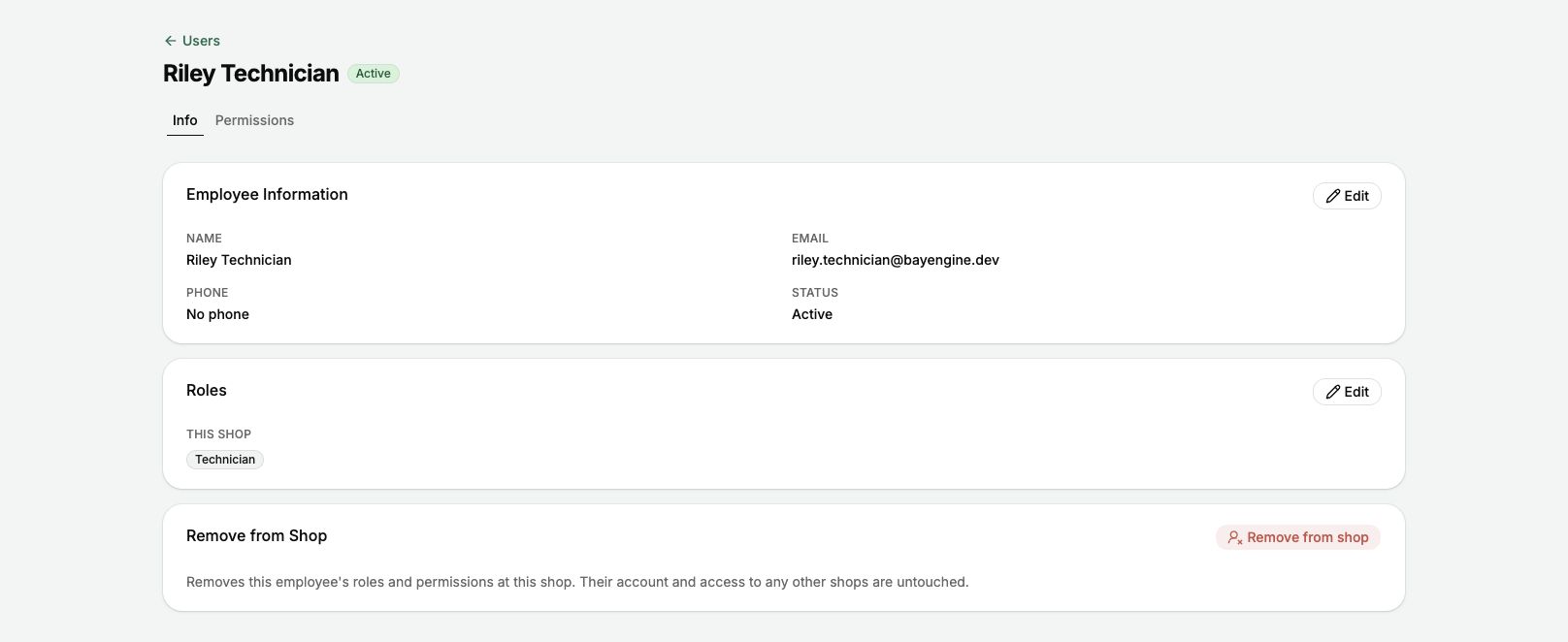
Open the user to review their current status, roles, and shop access.
-
Open Permissions to review the person's current access.
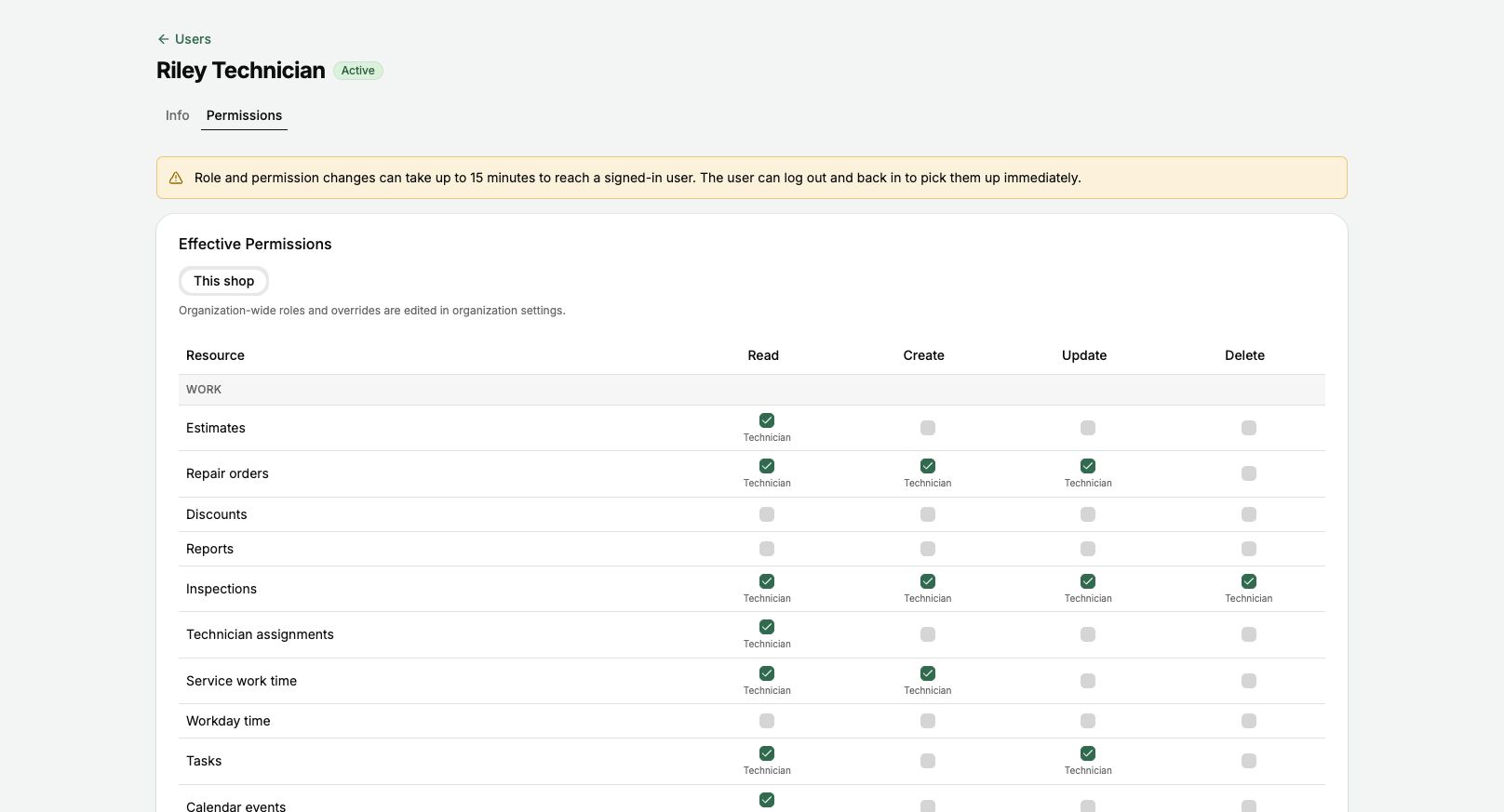
Use Effective Permissions to review what the user can currently read, create, update, and delete.
Understand what the permission screen shows
- The selected actions are the user's current effective access for the chosen scope.
- Role labels identify permissions supplied by an assigned role.
- Added and Removed labels identify individual exceptions.
- Organization-wide access must be reviewed from the organization scope.
- The screen does not show when a permission was changed or what access looked like previously.
Review work recorded on a repair order
-
Open the repair order.
-
Select Overview and scroll to Activity.
-
Search for the action or event you need.
-
Review the recorded action and time.

Use repair-order Activity to review important actions recorded for that visit.
-
Open the Authorization log or Payment activity when you need the detailed history for those records.
History that is not currently available
- A list of each time a user signed in
- A complete account-activity history across the shop
- A record of who changed each user permission
- A view of a user's permissions on an earlier date
Investigate an access question
- Confirm the correct user and shop.
- Record the roles, scope, and effective permissions shown now.
- Ask what page or action the person expected to use and when the issue happened.
- Review the affected repair order's Activity when the question concerns a visit.
- Email hi@bayengine.com with the user, shop, affected page, approximate time, and a screenshot when the available information does not answer the question.
Do not include passwords, complete payment information, or unrelated customer information in the request.